
Mpvi4 Hp Tuners
The MPVI4 HP Tuners device has become a widely used tool for understanding and adjusting the operation of modern performance vehicles. From diagnostics to data logging and calibration access, it plays a central role in how vehicles are evaluated and refined beyond factory settings. For enthusiasts and builders alike, the MPVI4 offers a direct way to interact with vehicle systems using real operating data rather than assumptions.
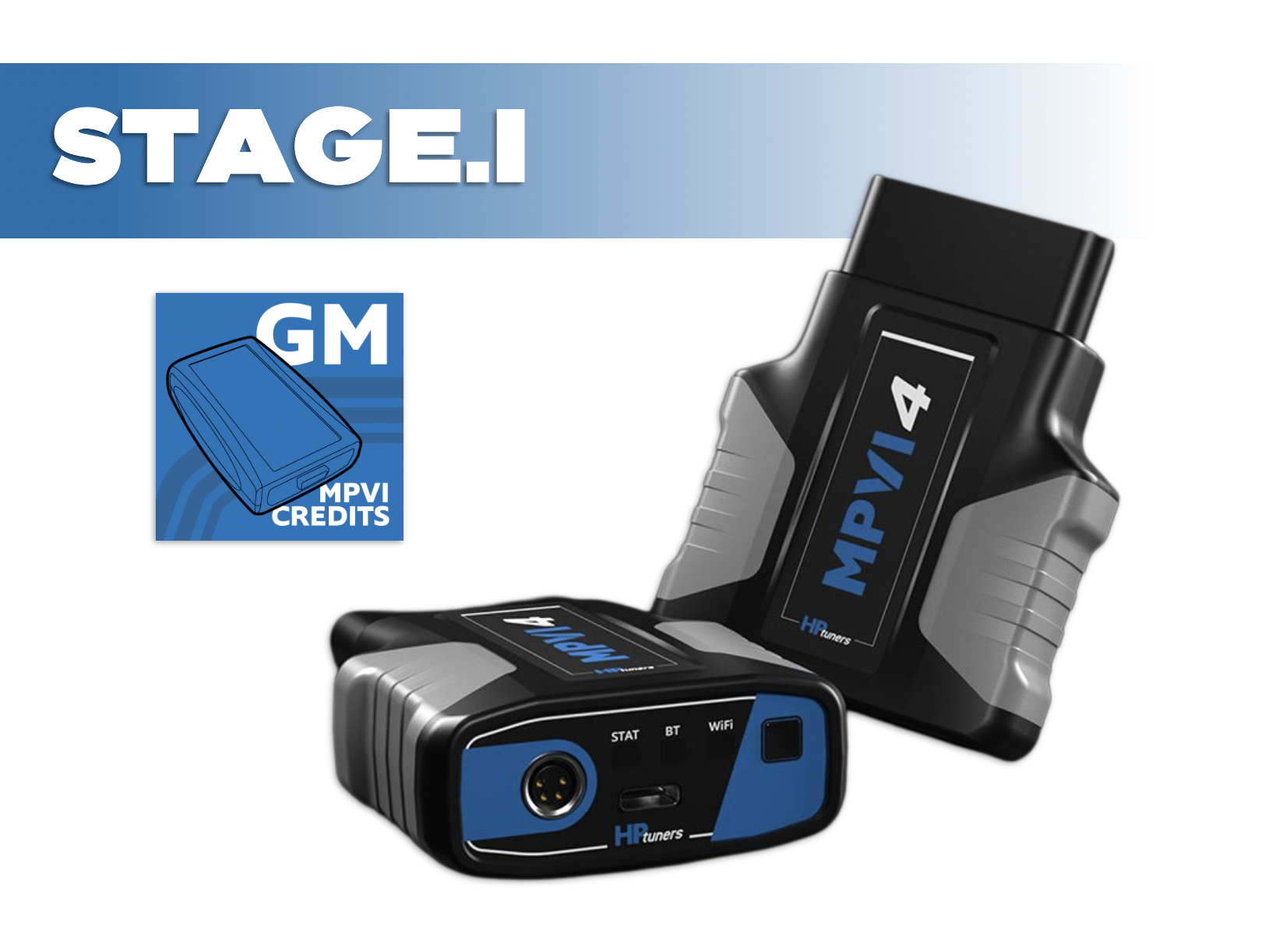
Griffin Motorsports - Stage.I Remote Tuning Package featuring the HP Tuners MPVI4 Interface.
By now it should be clear just how incredibly capable our modern engines are from factory. Despite all of their advancement in Di fueling, more forged components, and factory supercharging, the OEM’s have still left so much on the table for savvy minds at HP tuners to help you extract. No matter the platform, it never seems to take long before the Griffin Motorsports KONG Ported Blower Package, E85 Sensor Kit, Upgraded XDI Fuel Injectors, Head & Cam Packages and cooling mods are all in your shopping cart, just waiting to pull the trigger. And when that branded box of sexy parts arrives, you are quickly reminded that the only way you can extract the power you want, and provide the durability you need, is with master level calibration.
Unfortunately, the amount of master tuners for the LS/LT engine platform are few and far between which means if you are like me, you have been and or will continue to utilize a remote tuner in order to get the most from your build, and keep things safe. No better way to kick off that tuning process than with one of our Griffin Motorsports staged remote tuning hardware packages.
HP Tuners MPIV4.
The HP Tuners MPVI4 is the industry-standard vehicle interface that unlocks full access to your ECU and TCM, allowing you to flash custom calibrations, log high-resolution data, and safely optimize your LS/LT/Global B platform—whether you’re tuning the car yourself or working with a professional remote tuner like Justin White Tuned.
The MPVI4 is a high-speed vehicle interface (VCI) that connects your car to HP Tuners VCM Suite, giving you:
Full ECU and TCM read/write capability
High-speed data logging with expanded channel access
Support for custom tuning files created by you or your tuner
Compatibility with gasoline, E85, flex-fuel, boosted, and NA LT setups
If you’re modifying your engine, this isn’t optional—it’s foundational.
Designed for Remote Tuning:
If you’re working with a professional tuner, MPVI4 is the required communication bridge:
Read and flash tune files your tuner sends you
Log high-resolution data exactly how they request
Email logs and revisions back and forth with confidence
Make changes on your schedule—no shop visits required
Allows you to work with ANY TUNER in the world (no more restrictions)
Allows you to make small tune changes on the fly for those with experience
Why MPVI4 Is a Major Upgrade Over Previous Generations:
Compared to earlier MPVI interfaces, the MPVI4 delivers:
Improved USB-C connectivity
32X More RAM Memory (32 vs 1024)
Faster processing and improved stability
WiFi Enabled with speeds up to 150mbps
Utilizes the improvements on Bluetooth 5.2
Support for the latest GM operating systems
Expanded logging bandwidth for modern ECUs
Multi-colored status lights for better visual communication
3X More processing power (single core 500mHz vs. dual core 1.7GHz)
More efficient handling of complex LT torque models and flex-fuel data
When you’re logging ethanol content, fuel pressure, airflow models, and torque intervention all at once, speed and reliability matter. This level of access is why HP Tuners remains the gold standard for GM performance tuning.
How do HP Tuners Credits actually work?
HP Tuners uses a credit-based licensing system that allows you to unlock (license) specific vehicle control modules before making calibration changes. Credits are purchased digitally and stored in your HP Tuners account. When you connect your MPVI interface to a vehicle and license it, the required number of credits is deducted and permanently tied to that vehicle’s modules (ECM, TCM, etc.). Once licensed, you can read, modify, and flash that vehicle as many times as you want—there are no recurring fees, subscriptions, or limits on reflashes for that vehicle. Credits are vehicle-specific, not tune-specific, meaning future modifications don’t require additional credits unless new modules are added.
Key Benefits of the HP Tuners Credit System
One-Time Cost per Vehicle – License once, tune forever; no annual fees or pay-per-flash models
Permanent Vehicle Licensing – Credits are locked to the VIN/modules, not individual tunes
Flexible & Scalable – Ideal for DIY enthusiasts, shops, and multi-vehicle owners
Mod-Friendly – Add cams, blowers, injectors, E85, or turbos without buying new licenses
Remote-Tuner Ready – Works seamlessly with professional remote tuners
Transparent Pricing – You know exactly what you’re paying for up front
Click HERE for an HP Tuners VIDEO explanation.
Click HERE for a tour of the VCM Scanner Tool.
Click HERE for the entire HP Tuners Introductory Youtube Playlist!
What’s Included
HP Tuners MPVI4 Interface
Access to HP Tuners VCM Suite (Editor + Scanner)
HP Tuners Credits (see options within the pull downs) Follow THIS link so determine how many you need. Not sure? be sure to ask your tuner, or email us at info@griffin-motorsports.com
Vehicle Compatibility (Common Applications)
All OBD.II Vehicles
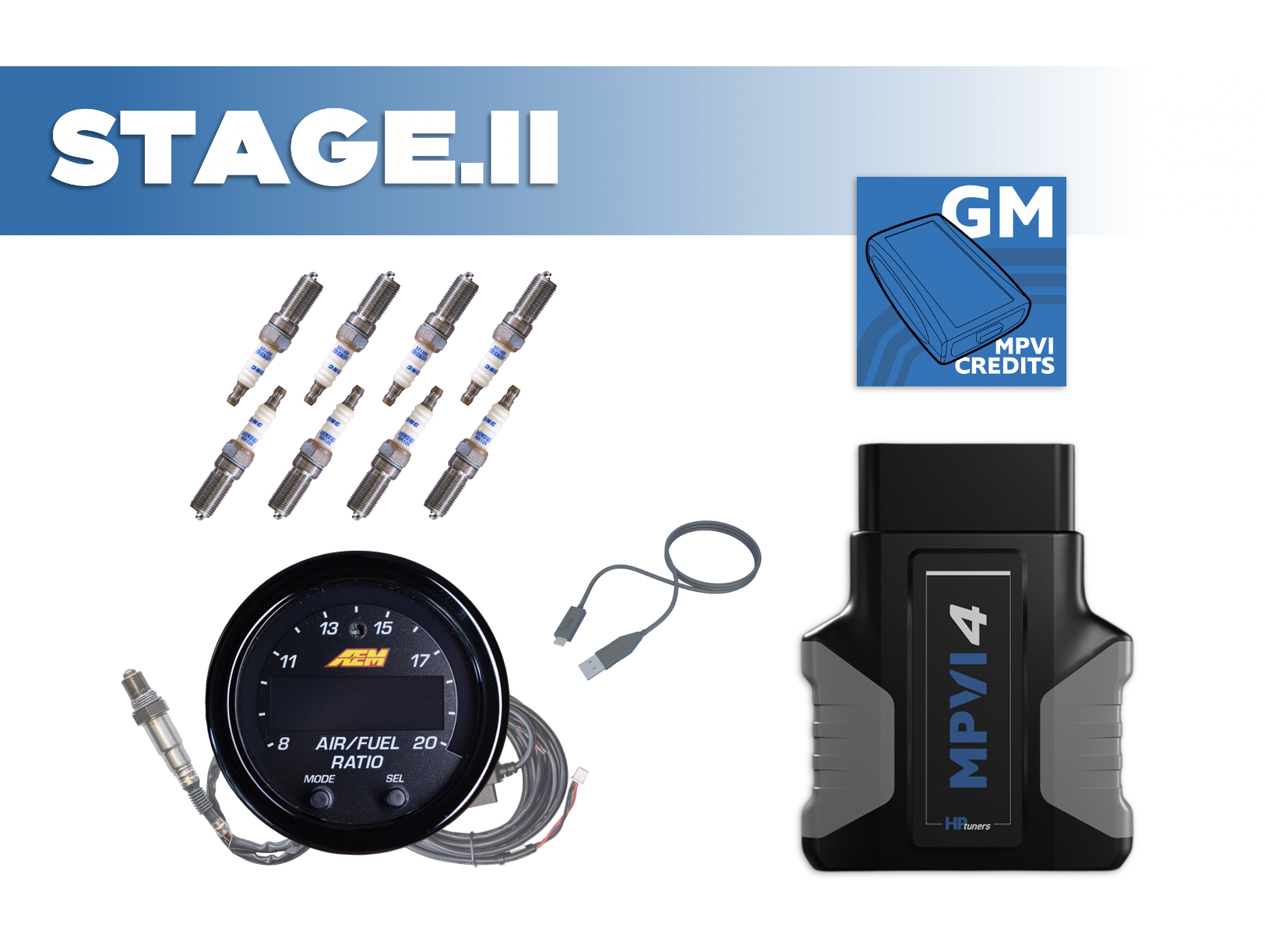
Griffin Motorsports - Stage.II Remote Tuning Package featuring the HP Tuners MPVI4 Interface + AEM's X-Series OBDII Wideband (PN 30-0334) + Brisk Racing Silver Spark Plugs.
By now it should be clear just how incredibly capable our modern engines are from factory. Despite all of their advancement in Di fueling, more forged components, and factory supercharging, the OEM’s have still left so much on the table for savvy minds at HP tuners to help you extract. No matter the platform, it never seems to take long before the Griffin Motorsports KONG Ported Blower Package, E85 Sensor Kit, Upgraded XDI Fuel Injectors, Head & Cam Packages and cooling mods are all in your shopping cart, just waiting to pull the trigger. And when that branded box of sexy parts arrives, you are quickly reminded that the only way you can extract the power you want, and provide the durability you need, is with master level calibration.
Unfortunately, the amount of master tuners for the LS/LT engine platform are few and far between which means if you are like me, you have been and or will continue to utilize a remote tuner in order to get the most from your build, and keep things safe. No better way to kick off that tuning process than with one of our Griffin Motorsports staged remote tuning hardware packages.
HP Tuners MPIV4.
The HP Tuners MPVI4 is the industry-standard vehicle interface that unlocks full access to your ECU and TCM, allowing you to flash custom calibrations, log high-resolution data, and safely optimize your LS/LT/Global B platform—whether you’re tuning the car yourself or working with a professional remote tuner like Justin White Tuned.
The MPVI4 is a high-speed vehicle interface (VCI) that connects your car to HP Tuners VCM Suite, giving you:
Full ECU and TCM read/write capability
High-speed data logging with expanded channel access
Support for custom tuning files created by you or your tuner
Compatibility with gasoline, E85, flex-fuel, boosted, and NA LT setups
If you’re modifying your engine, this isn’t optional—it’s foundational.
Designed for Remote Tuning:
If you’re working with a professional tuner, MPVI4 is the required communication bridge:
Read and flash tune files your tuner sends you
Log high-resolution data exactly how they request
Email logs and revisions back and forth with confidence
Make changes on your schedule—no shop visits required
Allows you to work with ANY TUNER in the world (no more restrictions)
Allows you to make small tune changes on the fly for those with experience
Why MPVI4 Is a Major Upgrade Over Previous Generations:
Compared to earlier MPVI interfaces, the MPVI4 delivers:
Improved USB-C connectivity
32X More RAM Memory (32 vs 1024)
Faster processing and improved stability
WiFi Enabled with speeds up to 150mbps
Utilizes the improvements on Bluetooth 5.2
Support for the latest GM operating systems
Expanded logging bandwidth for modern ECUs
Multi-colored status lights for better visual communication
3X More processing power (single core 500mHz vs. dual core 1.7GHz)
More efficient handling of complex LT torque models and flex-fuel data
When you’re logging ethanol content, fuel pressure, airflow models, and torque intervention all at once, speed and reliability matter. This level of access is why HP Tuners remains the gold standard for GM performance tuning.
How do HP Tuners Credits actually work?
HP Tuners uses a credit-based licensing system that allows you to unlock (license) specific vehicle control modules before making calibration changes. Credits are purchased digitally and stored in your HP Tuners account. When you connect your MPVI interface to a vehicle and license it, the required number of credits is deducted and permanently tied to that vehicle’s modules (ECM, TCM, etc.). Once licensed, you can read, modify, and flash that vehicle as many times as you want—there are no recurring fees, subscriptions, or limits on reflashes for that vehicle. Credits are vehicle-specific, not tune-specific, meaning future modifications don’t require additional credits unless new modules are added.
Key Benefits of the HP Tuners Credit System
One-Time Cost per Vehicle – License once, tune forever; no annual fees or pay-per-flash models
Permanent Vehicle Licensing – Credits are locked to the VIN/modules, not individual tunes
Flexible & Scalable – Ideal for DIY enthusiasts, shops, and multi-vehicle owners
Mod-Friendly – Add cams, blowers, injectors, E85, or turbos without buying new licenses
Remote-Tuner Ready – Works seamlessly with professional remote tuners
Transparent Pricing – You know exactly what you’re paying for up front
Click HERE for an HP Tuners VIDEO explanation.
Click HERE for a tour of the VCM Scanner Tool.
Click HERE for the entire HP Tuners Introductory Youtube Playlist!
Brisk Racing Silver Spark Plugs
Modified LT4’s demand ignition components that can withstand extreme conditions and deliver maximum efficiency, which is why Brisk Racing Silver Spark Plugs are an ideal choice for our supercharged cars. These plugs feature a silver center electrode, known for its superior thermal and electrical conductivity compared to traditional materials like copper or platinum. This results in a stronger, more consistent spark, improved throttle response, and more efficient combustion—all critical for modified, boosted and high-revving engines. Additionally, the silver construction resists fouling and maintains performance even under high-stress driving conditions, making them especially suited for the LT4. By using Brisk Racing Silver Spark Plugs, drivers can ensure their engines operate at peak performance with enhanced power, fuel efficiency, and reliability.
Running a colder spark plug helps improve combustion stability and reduce the risk of pre-ignition or detonation under increased cylinder pressures and elevated combustion temperatures. Colder plugs have a shorter insulator nose and dissipate heat more quickly to the cylinder head, keeping the firing tip cooler. This is crucial on LT4 applications where forced induction significantly raises the thermal load on the engine. By controlling plug tip temperatures, colder plugs help maintain reliable spark performance, prevent misfires, and support consistent power delivery—especially during sustained high-boost conditions.
From the Brisk website;
Brisk Silver Racing Spark Plugs have a smaller diameter silver core and conventional open spark hook type earth electrode give an outstanding performance in igniting high octane fuel mixture associated with alternative fuels like CNG, LPG, Propane, E85 blend, Alcohol, LNG, Race Fuels and Nitro.
Silver metal is the single best material for a spark plugs core electrode, as it can dissipate heat fast, resulting in overall lower spark plug temperature and a more powerful spark. Silver is the best conductor of any metal! It conducts 560% more electricity & 481% more heat than Platinum, and 276% more electricity & 177% more heat than Iridium.
The stronger the spark the faster and better the flame front and flame speed giving smother higher RPM range in engines.
The BRISK Silver Racing spark plug works well with most aftermarket and OEM ignition systems form simple coil and distributor through electronic ignition and powerful direct ignition systems found on modern port and direct injection performance engines.
Features
Fires properly even if fouling occurs, common standard plugs failure.
Silver centre electrode, best thermal (heat) & electrical conductor.
Lower voltage requirement for safe operation.
Reduces wear on coil, leads and other ignition parts.
1.5 mm Silver Wire Centre Electrode
Applications
Methanol, ethanol, CNG, LPG, Propane, E85 blend, Alcohol, LNG, Race Fuels, Nitro, Nitrous.
Old vehicles with weaker ignition systems and/or excessive oil consumption.
High RPM race engines with short time for ignition coil saturation.
Naturally aspirated or forced induction applications
Standard and high compression engines
High octane or hard ignition fuels.
Service Life
15-18k miles
50 hours racing
Parameters:
ThreadDiameter - 14mm
Thread Reach - 25mm-1"
Hexagon - 16mm-5/8"
Seat Type - Tapered
Design - Silver Racing
Resistor - Yes
Projected - No
Fitment: 2017+ LT Engines
AEM's X-Series OBDII Wideband UEGO AFR Sensor Controller Gauge (PN 30-0334)
Exactly what your remote tuner will need in order to dial in your air fuel ration “ARF” using HP tuners through the factory CAN-bus stream that is output by the factory ECU, which delivers the most accurate, safe and powerful tune. The 30-0334 X-Series OBDII Wideband Gauge is verified to work with HPTuners, with more applications being validated. The X-Series Wideband AFR OBDII Gauge includes an OBDII connector and Bosch 4.9LSU sensor that can be free-air calibrated or used with the factory resistor calibration. Additional wiring for a 0-5v or RS232 Serial output can be added by the user for outputting to a data logger. This OBDII pass-through capability replaces the traditional AEMnet stream available in the 30-0300 X-Series Wideband AFR Gauge Controller.
The AEM X-Series is widely known for being the Fastest Wideband’s on the market having been previously tested against 17 other wideband systems. The UEGO air/fuel high speed controllers ensure no loss of signal fidelity and full transient response, making it able to identify the slightest fluctuations in AFR and output them in full value.
AEM KEY FEATURES
X-Series Wideband UEGO AFR Controllers Gauge were fastest responding wideband air/fuel ratio controllers in an independent test vs. 17 competitors wideband AFR controllers
Patented X-Digital wideband technology (Patent 9,575,030)
Includes Bosch 4.9LSU wideband UEGO sensor
Factory calibrated resistor does not require free-air calibration, but technology allows for free-air calibration as sensor ages if user desires
Compatible with vehicle/system voltages up to 16V
0-5V & RS232 output for data logging and feedback control, AEMnet (CANbus) for data logging and daisy-chaining multiple controllers up to 16 cylinders
Can display AFR values in hundredths of %
52mm gauge diameter and slim 0.825" gauge depth
Gauge cup depth only .200" deep
Auto dimming feature
User configurable display via buttons on the gauge face for changing AFR values, Lambda and O2%, and 3- or 4-digit display
Black bezel and black dual faced faceplate included (gauge only, silver bezel/white gauge option sold separately, PN 30-0300-ACC)
Whats in the box;
(1) HP Tuners MPVI4 Interface
(8) RR12S Brisk Racing Silver Spark Plugs
Access to HP Tuners VCM Suite (Editor + Scanner)
(1) AEM 03-0334 Wideband + OBD.II Pass-through Connector
HP Tuners Credits (see options within the pull downs) Follow THIS link so determine how many you need. Not sure? be sure to ask your tuner, or email us at info@griffin-motorsports.com
TOOL TIPS;
THIS is the magnetic spark plug socket I like and THIS is the spark plug gap tool I use.
Vehicle Compatibility (Common Applications)
All LT Engine Models with OBD.II
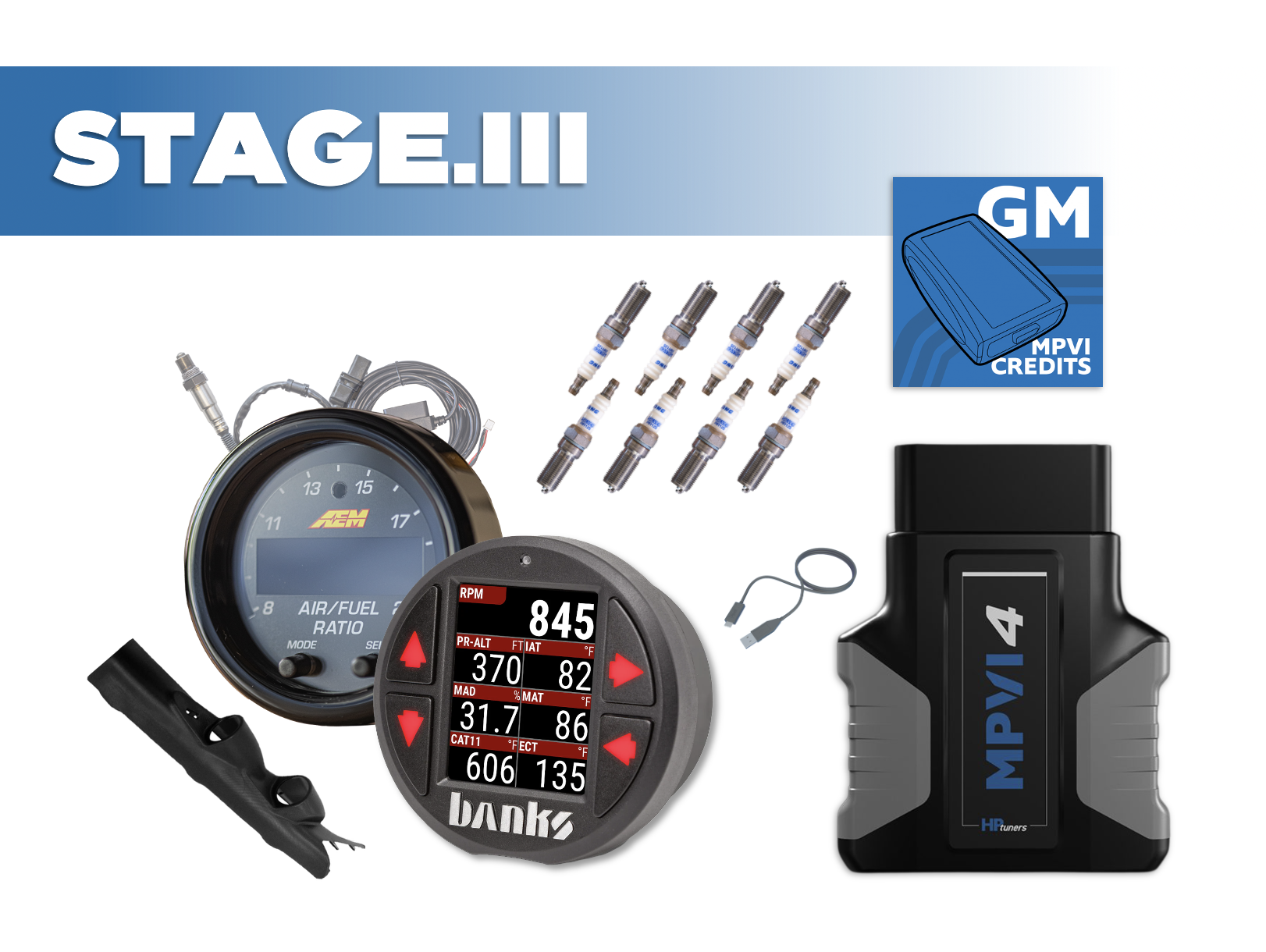
Griffin Motorsports - Stage.III Remote Tuning Package featuring the HP Tuners MPVI4 Interface + AEM's X-Series OBDII Wideband (PN 30-0334) + Brisk Racing Silver Spark Plugs + Banks iDash PRO + ZZP Camaro Dual Pillar Pod.
By now it should be clear just how incredibly capable our modern engines are from factory. Despite all of their advancement in Di fueling, more forged components, and factory supercharging, the OEM’s have still left so much on the table for savvy minds at HP tuners to help you extract. No matter the platform, it never seems to take long before the Griffin Motorsports KONG Ported Blower Package, E85 Sensor Kit, Upgraded XDI Fuel Injectors, Head & Cam Packages and cooling mods are all in your shopping cart, just waiting to pull the trigger. And when that branded box of sexy parts arrives, you are quickly reminded that the only way you can extract the power you want, and provide the durability you need, is with master level calibration.
Unfortunately, the amount of master tuners for the LS/LT engine platform are few and far between which means if you are like me, you have been and or will continue to utilize a remote tuner in order to get the most from your build, and keep things safe. No better way to kick off that tuning process than with one of our Griffin Motorsports staged remote tuning hardware packages.
HP Tuners MPIV4.
The HP Tuners MPVI4 is the industry-standard vehicle interface that unlocks full access to your ECU and TCM, allowing you to flash custom calibrations, log high-resolution data, and safely optimize your LS/LT/Global B platform—whether you’re tuning the car yourself or working with a professional remote tuner like Justin White Tuned.
The MPVI4 is a high-speed vehicle interface (VCI) that connects your car to HP Tuners VCM Suite, giving you:
Full ECU and TCM read/write capability
High-speed data logging with expanded channel access
Support for custom tuning files created by you or your tuner
Compatibility with gasoline, E85, flex-fuel, boosted, and NA LT setups
If you’re modifying your engine, this isn’t optional—it’s foundational.
Designed for Remote Tuning:
If you’re working with a professional tuner, MPVI4 is the required communication bridge:
Read and flash tune files your tuner sends you
Log high-resolution data exactly how they request
Email logs and revisions back and forth with confidence
Make changes on your schedule—no shop visits required
Allows you to work with ANY TUNER in the world (no more restrictions)
Allows you to make small tune changes on the fly for those with experience
Why MPVI4 Is a Major Upgrade Over Previous Generations:
Compared to earlier MPVI interfaces, the MPVI4 delivers:
Improved USB-C connectivity
32X More RAM Memory (32 vs 1024)
Faster processing and improved stability
WiFi Enabled with speeds up to 150mbps
Utilizes the improvements on Bluetooth 5.2
Support for the latest GM operating systems
Expanded logging bandwidth for modern ECUs
Multi-colored status lights for better visual communication
3X More processing power (single core 500mHz vs. dual core 1.7GHz)
More efficient handling of complex LT torque models and flex-fuel data
When you’re logging ethanol content, fuel pressure, airflow models, and torque intervention all at once, speed and reliability matter. This level of access is why HP Tuners remains the gold standard for GM performance tuning.
How do HP Tuners Credits actually work?
HP Tuners uses a credit-based licensing system that allows you to unlock (license) specific vehicle control modules before making calibration changes. Credits are purchased digitally and stored in your HP Tuners account. When you connect your MPVI interface to a vehicle and license it, the required number of credits is deducted and permanently tied to that vehicle’s modules (ECM, TCM, etc.). Once licensed, you can read, modify, and flash that vehicle as many times as you want—there are no recurring fees, subscriptions, or limits on reflashes for that vehicle. Credits are vehicle-specific, not tune-specific, meaning future modifications don’t require additional credits unless new modules are added.
Key Benefits of the HP Tuners Credit System
One-Time Cost per Vehicle – License once, tune forever; no annual fees or pay-per-flash models
Permanent Vehicle Licensing – Credits are locked to the VIN/modules, not individual tunes
Flexible & Scalable – Ideal for DIY enthusiasts, shops, and multi-vehicle owners
Mod-Friendly – Add cams, blowers, injectors, E85, or turbos without buying new licenses
Remote-Tuner Ready – Works seamlessly with professional remote tuners
Transparent Pricing – You know exactly what you’re paying for up front
Click HERE for an HP Tuners VIDEO explanation.
Click HERE for a tour of the VCM Scanner Tool.
Click HERE for the entire HP Tuners Introductory Youtube Playlist!
Brisk Racing Silver Spark Plugs
Modified LT4’s demand ignition components that can withstand extreme conditions and deliver maximum efficiency, which is why Brisk Racing Silver Spark Plugs are an ideal choice for our supercharged cars. These plugs feature a silver center electrode, known for its superior thermal and electrical conductivity compared to traditional materials like copper or platinum. This results in a stronger, more consistent spark, improved throttle response, and more efficient combustion—all critical for modified, boosted and high-revving engines. Additionally, the silver construction resists fouling and maintains performance even under high-stress driving conditions, making them especially suited for the LT4. By using Brisk Racing Silver Spark Plugs, drivers can ensure their engines operate at peak performance with enhanced power, fuel efficiency, and reliability.
Running a colder spark plug helps improve combustion stability and reduce the risk of pre-ignition or detonation under increased cylinder pressures and elevated combustion temperatures. Colder plugs have a shorter insulator nose and dissipate heat more quickly to the cylinder head, keeping the firing tip cooler. This is crucial on LT4 applications where forced induction significantly raises the thermal load on the engine. By controlling plug tip temperatures, colder plugs help maintain reliable spark performance, prevent misfires, and support consistent power delivery—especially during sustained high-boost conditions.
From the Brisk website;
Brisk Silver Racing Spark Plugs have a smaller diameter silver core and conventional open spark hook type earth electrode give an outstanding performance in igniting high octane fuel mixture associated with alternative fuels like CNG, LPG, Propane, E85 blend, Alcohol, LNG, Race Fuels and Nitro.
Silver metal is the single best material for a spark plugs core electrode, as it can dissipate heat fast, resulting in overall lower spark plug temperature and a more powerful spark. Silver is the best conductor of any metal! It conducts 560% more electricity & 481% more heat than Platinum, and 276% more electricity & 177% more heat than Iridium.
The stronger the spark the faster and better the flame front and flame speed giving smother higher RPM range in engines.
The BRISK Silver Racing spark plug works well with most aftermarket and OEM ignition systems form simple coil and distributor through electronic ignition and powerful direct ignition systems found on modern port and direct injection performance engines.
Features
Fires properly even if fouling occurs, common standard plugs failure.
Silver centre electrode, best thermal (heat) & electrical conductor.
Lower voltage requirement for safe operation.
Reduces wear on coil, leads and other ignition parts.
1.5 mm Silver Wire Centre Electrode
Applications
Methanol, ethanol, CNG, LPG, Propane, E85 blend, Alcohol, LNG, Race Fuels, Nitro, Nitrous.
Old vehicles with weaker ignition systems and/or excessive oil consumption.
High RPM race engines with short time for ignition coil saturation.
Naturally aspirated or forced induction applications
Standard and high compression engines
High octane or hard ignition fuels.
Service Life
15-18k miles / 50 hours racing
Parameters:
ThreadDiameter - 14mm
Thread Reach - 25mm-1"
Hexagon - 16mm-5/8"
Seat Type - Tapered
Design - Silver Racing
Resistor - Yes
Projected - No
Fitment: 2017+ Camaro V8 Models
AEM's X-Series OBDII Wideband UEGO AFR Sensor Controller Gauge (PN 30-0334)
Exactly what your remote tuner will need in order to dial in your air fuel ration “ARF” using HP tuners through the factory CAN-bus stream that is output by the factory ECU, which delivers the most accurate, safe and powerful tune. The 30-0334 X-Series OBDII Wideband Gauge is verified to work with HPTuners, with more applications being validated. The X-Series Wideband AFR OBDII Gauge includes an OBDII connector and Bosch 4.9LSU sensor that can be free-air calibrated or used with the factory resistor calibration. Additional wiring for a 0-5v or RS232 Serial output can be added by the user for outputting to a data logger. This OBDII pass-through capability replaces the traditional AEMnet stream available in the 30-0300 X-Series Wideband AFR Gauge Controller.
The AEM X-Series is widely known for being the Fastest Wideband’s on the market having been previously tested against 17 other wideband systems. The UEGO air/fuel high speed controllers ensure no loss of signal fidelity and full transient response, making it able to identify the slightest fluctuations in AFR and output them in full value.
AEM KEY FEATURES
X-Series Wideband UEGO AFR Controllers Gauge were fastest responding wideband air/fuel ratio controllers in an independent test vs. 17 competitors wideband AFR controllers
Patented X-Digital wideband technology (Patent 9,575,030)
Includes Bosch 4.9LSU wideband UEGO sensor
Factory calibrated resistor does not require free-air calibration, but technology allows for free-air calibration as sensor ages if user desires
Compatible with vehicle/system voltages up to 16V
0-5V & RS232 output for data logging and feedback control, AEMnet (CANbus) for data logging and daisy-chaining multiple controllers up to 16 cylinders
Can display AFR values in hundredths of %
52mm gauge diameter and slim 0.825" gauge depth
Gauge cup depth only .200" deep + Auto dimming feature
User configurable display via buttons on the gauge face for changing AFR values, Lambda and O2%, and 3- or 4-digit display
Black bezel and black dual faced faceplate included (gauge only, silver bezel/white gauge option sold separately, PN 30-0300-ACC)
Banks iDash PRO #66710 with OBD.II Connector and APP control
If this is your first time seeing the Banks iDash Digital Gauges, you are in for a real treat! Not just because this is the GEN.2 PRO design with a TON more features, but because even before that, this was and will now continue to be the most versatile Digital gauge on the market!
Banks iDash PRO DATA is not only the smallest, and most powerful plug-n-play OBD-II monitor and control interface on the market, it is easily the BEST LOOKING. With its easy to read 2- to 8-gauge user-selectable LCD display, the iDash Data Monster reads a multitude of engine parameters and internal data directly from the vehicle's ECM via OBD-II. Custom color selections help it blend in with the 6th Gen Camaro Cluster, for am OEM look and feel. It also opens a whole new world of Banks' exclusive calculated parameters not available on any other device. One great feature is the “low and high” alerts for any engine parameter. Great for low oil pressure, or temp, shift lights, IAT’s and more! Monitor max and min values for a user-selectable list of parameters. Read and clear trouble codes on-the-fly. Customize the navigation button and LCD display colors, brightness, and even the rate at which they dim at night. Daisy chain 4 iDash gauges and view up to 32 parameters simultaneously. Add Banks sensor modules direct into the back of the iDash PRO (no longer need the 4-channel analog module) in order to add 4-channel thermocouple module, Wideband 02 sensor, liquid and air temp sensors, and AirMouse Ambient Air Density Module for nearly infinite vehicle and weather analysis. If you are in need of real time data logging capability, then you need the iDash PRO DATA.
iDASH KEY FEATURES
Customizable LED gauge display with Auto-Dimming Feature.
Avoid costly repairs by monitoring important sensors in real time.
Read Boost Pressure, IAT’s, Oil Temp & Pressure and more!
Easy to expand with additional gauges for even more data.
Displays accurate values your OEM dash gauges filter.
Includes patented OBDII Density (exclusive to Banks).
Fits standard 52mm (2-1/16 inch) gauge mounts
View Critical Data your dash does not display.
Display 2-8 Data readings per gauge.
Read up to 80 OBDII Mode 01 values.
Bluetooth app for setup and control.
Free over-the-air firmware updates.
Over 300 parameters available.
Log up to 20 min/max values.
Let’s face it, we expect a lot from our cars, and spend a lot of time trying to squeeze every last HP from them. You deserve to have the very best data, delivered in the very best set of high performance gauge’s on the market.
TOOL TIPS;
THIS is the magnetic spark plug socket I like and THIS is the spark plug gap tool I use.
Whats in the box;
(1) HP Tuners MPVI4 Interface
(1) ZZP Camaro Dual Gauge Pillar Pod
(8) RR12S Brisk Racing Silver Spark Plugs
(1) Banks iDash PRO Mounting Ring Kit #66716
Access to HP Tuners VCM Suite (Editor + Scanner)
(1) AEM 03-0334 Wideband + OBD.II Pass-through Connector
(1) Banks iDash PRO #66710 with OBD.II Connector and APP control
HP Tuners Credits (see options within the pull downs) Follow THIS link so determine how many you need. Not sure? be sure to ask your tuner, or email us at info@griffin-motorsports.com
Vehicle Compatibility (Common Applications)
2016–2024 Camaro SS (LT1) (no-convertibles)
2017–2024 Camaro ZL1 (LT4) (no-convertibles)
What Is The MPVI4 HP Tuners Device
The MPVI4 HP Tuners device is a compact vehicle tuning and diagnostics interface that connects a vehicle’s onboard systems to HP Tuners software. At Griffin Motorsports, we use the MPVI4 as a foundational tool for reading, scanning, and calibrating modern performance vehicles through the OBD port.
As the latest generation in HP Tuners hardware, the MPVI4 tuning module replaces earlier interfaces like the MPIV3 with faster processing, improved data transfer, and broader vehicle support. It functions as both a scan and tune tool, allowing real-time communication between the vehicle and a laptop or mobile device running HP Tuners software.
The MPVI4 is not a standalone tuner that applies preset files. It is a vehicle tuning interface built for precise control and detailed feedback. This approach is important for vehicles that have been modified or tuned to match specific driving goals.
The MPVI4 is a key component of our remote tuning packages that provide you the parts you need to have your car tuned by any tuner in the world. Giving you the flexibility you want and the control you need.
How The MPVI4 HP Tuners Interface Works
Understanding how the MPVI4 HP Tuners interface operates helps clarify why it is widely used for both tuning and diagnostics across many vehicle platforms. From physical connection to data handling, each step plays a role in how adjustments are made and validated:
Connecting The Mpvi4 To The Vehicle
The MPVI4 connects directly to the vehicle via the OBD port, drawing power and communicating with onboard control modules. Once plugged in, it is recognized by HP Tuners software and ready to begin scanning or reading vehicle data.
Communication With HP Tuners Software
After connection, the MPVI4 HP Tuners interface communicates with the software running on a laptop or mobile device. This connection allows live data to be viewed, calibrations to be read, and changes to be prepared before being written back to the vehicle.
Reading And Writing Vehicle Data
The interface can read the vehicle’s existing calibration files and store them for review or backup. When changes are made, the MPVI4 tuning module writes updated calibrations back to the control modules, updating how the vehicle operates.
Live Data Monitoring And Logging
While the vehicle is running, the MPVI4 functions as an HP Tuners scan-and-tune tool, monitoring sensor data in real time. This data can be logged during driving or dyno sessions, providing insight into how adjustments affect performance.
Key Features Of The HP Tuners MPVI4 Interface
The HP Tuners MPVI4 interface is built with features that support accurate tuning, reliable diagnostics, and efficient data handling. Each feature contributes to how the device is used in real-world tuning scenarios, from calibration work to ongoing performance monitoring:
Improved Processing And Data Transfer
The MPVI4 tuning module offers faster processing speeds than previous generations. This allows calibration files to be read and written more quickly, reducing wait times during tuning sessions.
High Resolution Data Logging
The interface supports detailed data logging while the vehicle is running. Capturing precise sensor information helps identify trends and verify how tuning changes affect vehicle behavior.
Broad Vehicle Platform Support
As a vehicle tuning interface, the MPVI4 is compatible with a wide range of modern vehicles. This makes it a flexible solution for different engine and transmission configurations.
Integrated Scan And Diagnostic Functions
The MPVI3 functions as an HP Tuners scan and tune tool by reading and clearing diagnostic trouble codes. Live data monitoring also allows issues to be identified and reviewed during normal driving or testing.
Vehicle Compatibility And Supported Platforms
Vehicle compatibility is a key factor when selecting a tuning interface, and the MPVI3 HP Tuners device is designed to support a wide range of modern platforms. This flexibility allows it to be used across different makes and models while maintaining consistent access to critical vehicle systems.
The MPVI3 works with many domestic and imported vehicles equipped with supported engine and transmission control modules. Compatibility is managed through HP Tuners software, which identifies supported modules once the device is connected.
Because the MPVI3 functions as a vehicle tuning interface rather than a preloaded tuner, the same device can be used across multiple vehicles. Software updates continue to expand supported platforms over time.
Software Requirements And Setup For MPVI3 HP Tuners
Before the MPVI3 HP Tuners interface can be used, the proper software setup is required. The device works in conjunction with HP Tuners software, which must be installed on a compatible laptop or supported mobile device prior to connection.
Once installed, the software recognizes the MPVI3 tuning module when it is plugged into the vehicle’s OBD port. From there, users can configure basic settings, verify supported modules, and prepare the interface for scanning or data logging. This initial setup helps confirm communication between the vehicle and the software before any calibration work begins.
The software also manages licensing, file storage, and updates. Calibration files, logs, and diagnostic data can be saved and organized for future reference. As new vehicle support or features are released, software updates keep the MPVI3 compatible with evolving platforms.
Proper setup is an important step in using the MPVI3 as a vehicle tuning interface. Taking the time to confirm software configuration helps avoid connection issues and supports more consistent tuning and diagnostic results.
Using The MPVI3 As An OBD Tuning And Scan Tool
The MPVI3 HP Tuners device serves as a combined tuning and diagnostic solution through a vehicle’s OBD connection. This dual function allows calibration work and system monitoring to be handled through a single interface.
As an HP Tuners OBD tuning device, the MPVI3 reads diagnostic trouble codes and monitors live data. This helps identify drivability or performance issues before and after tuning adjustments.
Live sensor data, such as airflow, fuel trims, and ignition activity, can be viewed or logged during normal driving. This information guides calibration changes and confirms vehicle behavior.
Data Logging And Diagnostics With MPVI3
Data logging and diagnostics are central to effective tuning decisions, and the MPVI3 HP Tuners interface supports both functions. By capturing operating data, the device provides insight into how a vehicle responds under real driving conditions.
The MPVI3 allows continuous logging of engine, transmission, and sensor parameters. Logs can be saved and compared over time to evaluate the results of calibration changes.
Diagnostic trouble codes can be read and cleared, with related data used to identify recurring issues. This data-based approach supports more accurate tuning outcomes.
Custom Tuning Applications For Performance Vehicles
Custom tuning is where the MPVI3 HP Tuners device becomes especially useful for performance-focused vehicles. It provides direct access to calibration tables and live vehicle data.
The MPVI3 tuning module allows changes to fueling, ignition timing, throttle response, and transmission behavior. These adjustments can be matched to specific modifications and driving goals.
Because it supports ongoing refinement, tuning can evolve as additional parts are installed or conditions change.
MPVI3 Integration With Performance Upgrades
Performance upgrades change how a vehicle operates, and proper calibration is needed to match those changes. The MPVI3 HP Tuners interface allows tuning adjustments to reflect updated hardware.
Data logging helps identify how new parts affect engine behavior, while calibration updates align the vehicle with its current setup. At Griffin Motorsports, this approach supports consistent drivability across modified builds.
The MPVI3 allows tuning to progress alongside vehicle development rather than remaining fixed.
Why The MPVI3 Is A Valuable Tool For Enthusiasts And Shops
The value of the MPVI3 HP Tuners device comes from its flexibility and repeatable results. It supports different users while maintaining consistent access to tuning and diagnostic tools:
Benefits For Vehicle Enthusiasts
The MPVI3 provides enthusiasts with visibility into vehicle data and calibration controls. This supports informed adjustments as modifications are added.
Advantages For Professional Tuning Shops
Shops benefit from stored calibrations, organized data logging, and consistent workflows across multiple vehicles.
Flexibility Across Different Builds
The MPVI3 can be reused across stock and modified platforms, making it suitable for varied performance levels.
Combined Tuning And Diagnostic Capability
The device supports both troubleshooting and calibration within a single system, reducing the need for separate tools.
MPVI4 HP Tuners Availability At Griffin Motorsports
At Griffin Motorsports, the MPVI4 HP Tuners interface is offered as part of a complete performance approach. The focus is on aligning tuning solutions with proven hardware and vehicle-specific upgrades. Once you've installed the kong supercharger x-port package, proper tuning through your handheld device is essential to dial in the gains.
The MPVI4 is a key component of our remote tuning packages that provide you the parts you need to have your car tuned by any tuner in the world. Giving you the flexibility you want and the control you need.
Frequently Asked Questions About Mpvi4 Hp Tuners
-
MPVI3 refers to the third generation of HP Tuners hardware, designed to interface with supported vehicles for scanning, diagnostics, and calibration through HP Tuners software.
-
No. The MPVI4 hardware can be used on multiple vehicles, though tuning access depends on licensing within the HP Tuners software rather than the device itself.
-
Yes. While it offers advanced capabilities, beginners can use the MPVI4 for scanning, code reading, and basic data logging before moving into calibration work.
-
An internet connection is not required for scanning or logging, but it is needed for software updates, licensing, and certain software features.
-
The MPVI4 draws power directly from the vehicle through the OBD port, so no external power source is needed during normal operation.
-
Yes. Many users operate the MPVI4 solely as a diagnostic and data logging tool without making calibration changes.
-
Factory calibration files can be read and saved before changes are made, allowing the vehicle to be returned to its original state if needed.
-
Support updates are released through software updates as new vehicles and control modules are added to the HP Tuners platform.
-
The hardware can be shared, but software licenses and user accounts determine access to tuning features and stored calibrations.